
Decode Your Mercedes-Benz VIN for Free
Use our Mercedes VIN decoder to check basic vehicle details by VIN, including year, model, trim, engine, body style, drivetrain, fuel type, MSRP, and estimated market value.
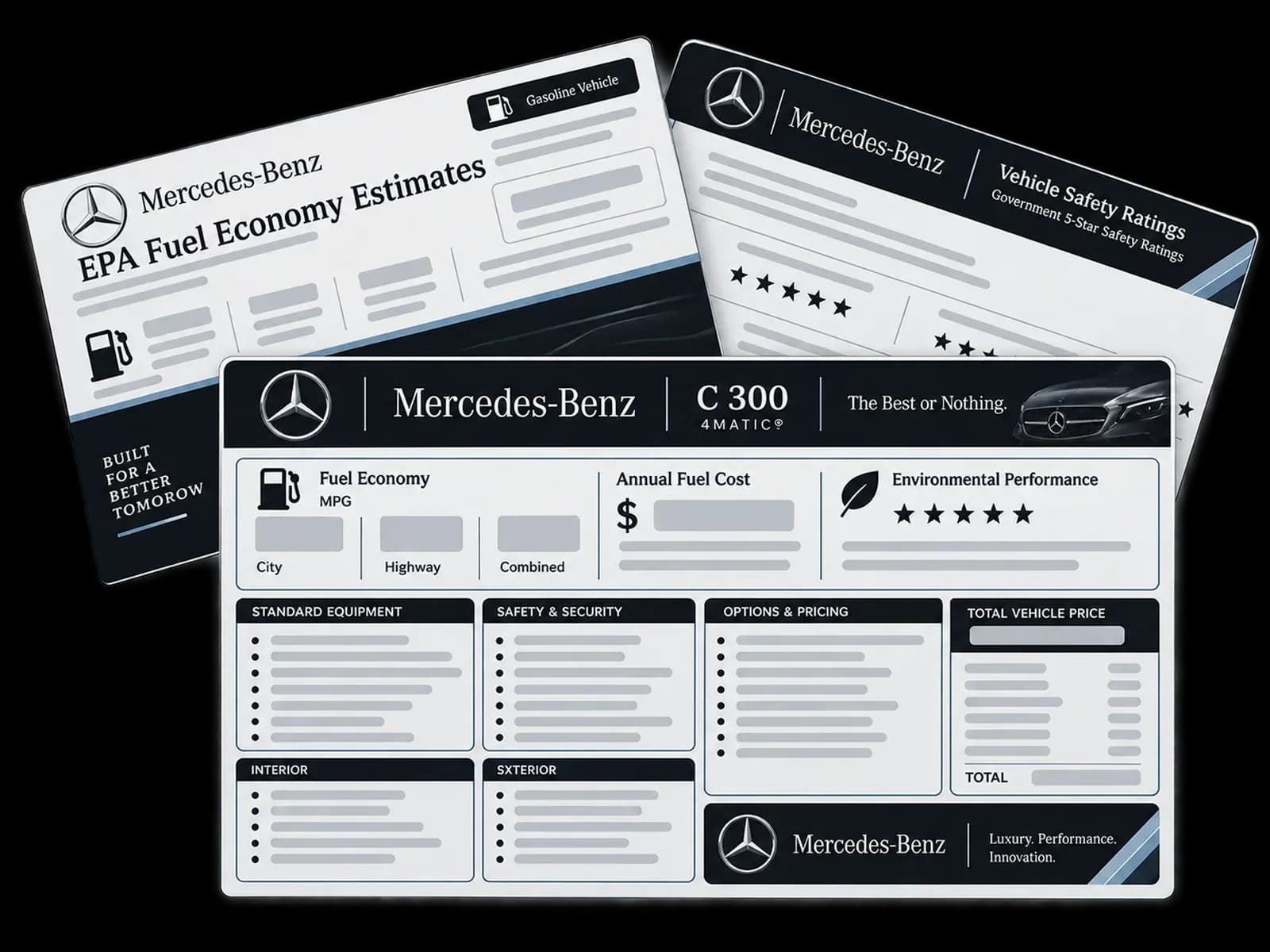
What Is a Mercedes-Benz VIN?
A Mercedes-Benz VIN is a unique 17-character vehicle identification number. It helps identify the vehicle’s model year, manufacturer, body type, engine details, trim, and production sequence.
You can use a VIN to check whether the Mercedes-Benz in a listing, title, registration, or insurance document matches the vehicle you are researching.
What Can You Check With a Free Mercedes VIN Decoder?
A free Mercedes VIN decoder helps you confirm important vehicle details before you buy, sell, insure, repair, or research a Mercedes-Benz.
Depending on available data, the decoder may show:
This makes the tool useful for a quick Mercedes spec check, especially when you want to compare the decoded result with a seller’s listing, vehicle documents, or online marketplace details.
Need More Than Basic VIN Specifications?
A basic VIN decode helps you confirm the vehicle’s identity, specifications, MSRP, and estimated market value. If you need deeper records before buying or selling a Mercedes-Benz, a paid vehicle history report can provide more detailed information.
A full Mercedes-Benz vehicle history report may include:
Title Brand
Check title branding that may affect vehicle value, ownership, or resale.
Accident Record
Review accident history to understand possible damage, repairs, or insurance claims.
Ownership History
See ownership changes to understand how the vehicle changed hands over time.
Auction Records
heck auction listings, sale dates, prices, and condition notes.
Odometer Fraud
Review mileage entries to help identify possible odometer inconsistencies.
Theft History
Check theft records to identify possible stolen vehicle activity.
Lien or Loan Records
Check finance records that may affect purchase or ownership decisions.
Salvage Brand
Identify salvage branding that may indicate major loss, rebuilding, or prior severe damage.
How to Decode a Mercedes VIN?
Decoding a Mercedes-Benz VIN is simple. Follow these three steps:
Decode VIN
Enter the full 17-character VIN into the decoder. Make sure there are no spaces, missing characters, or typing mistakes.
View Specs
Review the decoded specifications, such as model year, model, trim, engine, body style, drivetrain, fuel type, MSRP, and estimated market value when available.
Get Paid Report
If you need more than basic specs, get a full report to check factory options, original window sticker, build sheet details, title history, accident records, odometer readings, or ownership-related data.
Where to Find the Mercedes VIN?
Before using a Mercedes Benz VIN decoder, compare the dashboard VIN with the VIN on the documents. The characters should match exactly.
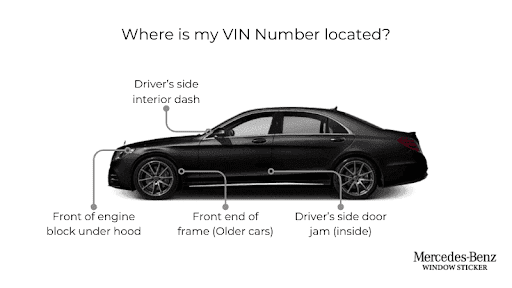
Here’s where you can find the VIN on a Mercedes:
- On the dashboard of the vehicle, near the windshield
- On the driver’s side door jamb
- On the engine block
- On the vehicle’s firewall
- In the left-hand inner wheel arch
- On the steering wheel/steering column
- On the radiator support bracket
- On the car’s title, registration, maintenance book, or the auto insurance policy
How to Read a Mercedes VIN Number
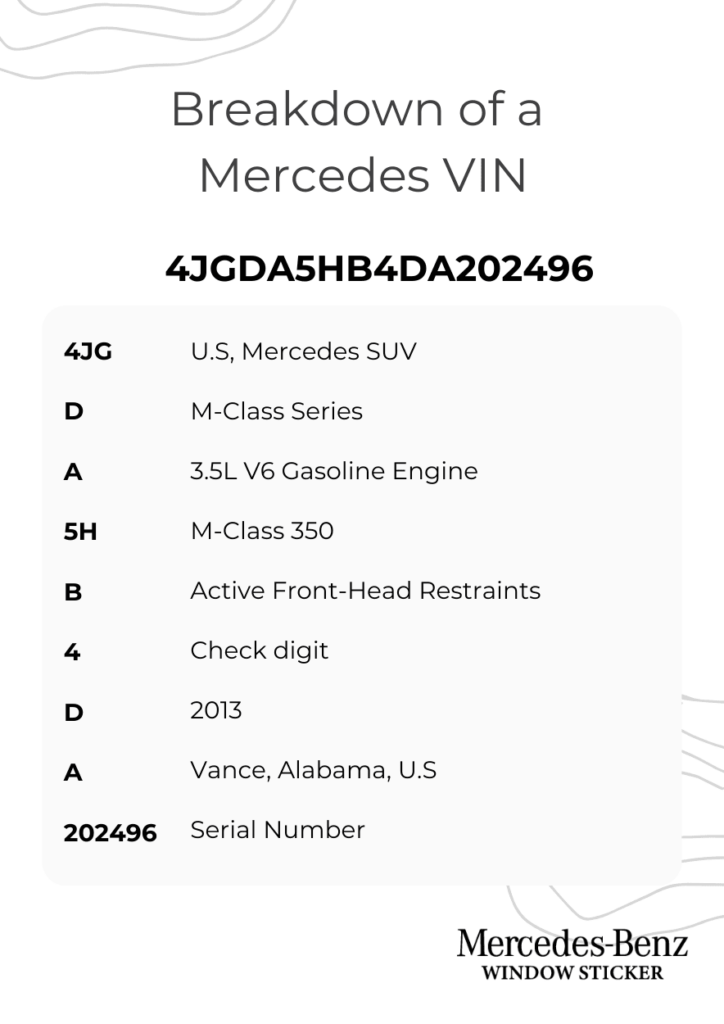
A Mercedes VIN is made up of 17 characters, combining letters and numbers. To prevent mix-ups, the letters I, O, and Q are never used, as they can be confused with the numbers 1, 0, and 9.
For easier interpretation, the VIN is divided into three main sections. Each section reveals a different layer of information about the vehicle.
The WMI is placed on the 1st to 3rd digit of the VIN. It identifies the vehicle’s country of origin and manufacturer. For Mercedes-Benz vehicles, this section confirms that the car was produced under the Daimler brand and indicates where it was built.
Characters four through nine describe the vehicle itself. This section encodes key details such as the model series, body style, engine type, restraint systems, and other technical specifications.
The final eight characters, positions ten through seventeen, identify the vehicle’s identification. The VIS includes the model year, assembly plant, and a sequential serial number that distinguishes one Mercedes from another.
Characters 1–3: World Manufacturer Identifier
The first three characters are called the World Manufacturer Identifier, or WMI. This section helps identify the manufacturer and production region.
Common Mercedes-Benz WMI examples include:
WMI codes can vary by model, market, production year, and vehicle type. For the most reliable result, run the full VIN through the decoder.
| WMI | Common Meaning |
|---|---|
| WDB | Mercedes-Benz passenger vehicles |
| WDD | Mercedes-Benz passenger vehicles |
| W1K | Mercedes-Benz passenger vehicles |
| W1N | Mercedes-Benz multipurpose passenger vehicles |
| WDC | Mercedes-Benz SUVs or multipurpose vehicles |
| 4JG | Mercedes-Benz vehicles produced for the U.S. market |
| WD3 / WD4 | Mercedes-Benz vans or commercial vehicles |
| W1Y / W1W | Mercedes-Benz vans or commercial vehicles |
Characters 4–8: Vehicle Descriptor Section
Characters 4 through 8 describe the vehicle. Depending on the Mercedes-Benz model and year, this part of the VIN may include information about:
- Model
- Body style
- Engine type
- Restraint system
- Series or trim
- Drivetrain
- Vehicle type
This is where a Mercedes VIN number lookup is useful. Instead of relying only on the seller’s listing, you can decode the VIN and compare the result with the actual vehicle.
Character 9: Check Digit
The ninth character is the check digit. It helps verify that the VIN follows the correct structure.
This character does not describe the model, trim, engine, or drivetrain. It is mainly used to help detect invalid VINs or typing mistakes.
Character 10: Model Year
The tenth character identifies the model year. This helps confirm whether the vehicle year matches the listing, title, registration, or insurance document.
Because VIN year codes repeat, the full VIN and vehicle context are important for confirming the exact model year.
| Code | Year | Code | Year | Code | Year |
|---|---|---|---|---|---|
| A | 1980 / 2010 | L | 1990 / 2020 | Y | 2000 |
| B | 1981 / 2011 | M | 1991 / 2021 | 1 | 2001 |
| C | 1982 / 2012 | N | 1992 / 2022 | 2 | 2002 |
| D | 1983 / 2013 | P | 1993 / 2023 | 3 | 2003 |
| E | 1984 / 2014 | R | 1994 / 2024 | 4 | 2004 |
| F | 1985 / 2015 | S | 1995 / 2025 | 5 | 2005 |
| G | 1986 / 2016 | T | 1996 / 2026 | 6 | 2006 |
| H | 1987 / 2017 | V | 1997 / 2027 | 7 | 2007 |
| J | 1988 / 2018 | W | 1998 / 2028 | 8 | 2008 |
| K | 1989 / 2019 | X | 1999 / 2029 | 9 | 2009 |
Characters 11–17: Vehicle Identifier
The final section helps identify the specific vehicle within a production run. These characters separate one Mercedes-Benz from another, even when two vehicles share the same model, trim, and engine.
Together, these characters help identify the exact vehicle, not just the model line.
Decode the Mercedes-Benz VIN
Use the Mercedes VIN decoder service to decode its factory specifications, trim details, and build information for many Mercedes-Benz models before you decide to sell or purchase a used Mercedes car.
Start With a Free Mercedes-Benz VIN Decode
Use this free Mercedes-Benz VIN decoder to check basic vehicle details such as year, model, trim, engine, body style, fuel type, MSRP, and estimated market value. For deeper records, order a paid VIN report to review title brands, accident records, ownership history, auction records, odometer readings, theft records and salvage information.
Frequently Asked Questions on Mercedes-Benz VIN Decoder
Is there a free Mercedes VIN decoder?
Yes. You can use a free Mercedes VIN decoder to check basic Mercedes-Benz details such as year, model, trim, body style, engine information, MSRP, and estimated market value when available.
What is the best way to decode a Mercedes VIN?
The easiest way is to enter the full 17-character VIN into a decoder. You can also read the VIN manually by checking the WMI, VDS, check digit, model year code, and vehicle identifier section.
What makes the best Mercedes VIN decoder free to use?
The best Mercedes VIN decoder free tool should be easy to use, return clear vehicle specifications, support many Mercedes-Benz models, and help users decide whether they need a deeper paid report.
Can I check Mercedes specs by VIN?
Yes. A Mercedes spec check can help identify details such as model year, trim, body style, engine type, drivetrain, fuel type, MSRP, and estimated market value when available.
Can a Mercedes VIN show MSRP?
Yes, in some cases a Mercedes VIN lookup may show MSRP or pricing-related data when available. For complete original pricing, factory options, packages, and destination charges, a Mercedes window sticker is usually more useful.
Can a Mercedes VIN show estimated market value?
Yes, the decoder may provide an estimated market value when available. This can help you compare the vehicle against similar listings, but it should be used together with mileage, condition, location, history, and inspection results.
Can a Mercedes VIN show factory options?
A basic VIN decode may show limited specification data. For factory-installed options, packages, original MSRP, exterior color, and interior color, a Mercedes window sticker or build sheet is usually more useful.
Can a Mercedes VIN decoder show accident history?
A basic decoder usually focuses on vehicle identity, specifications, MSRP, and estimated value. Accident records, title brands, odometer readings, theft records, lien data, and auction history are usually part of a full vehicle history report.